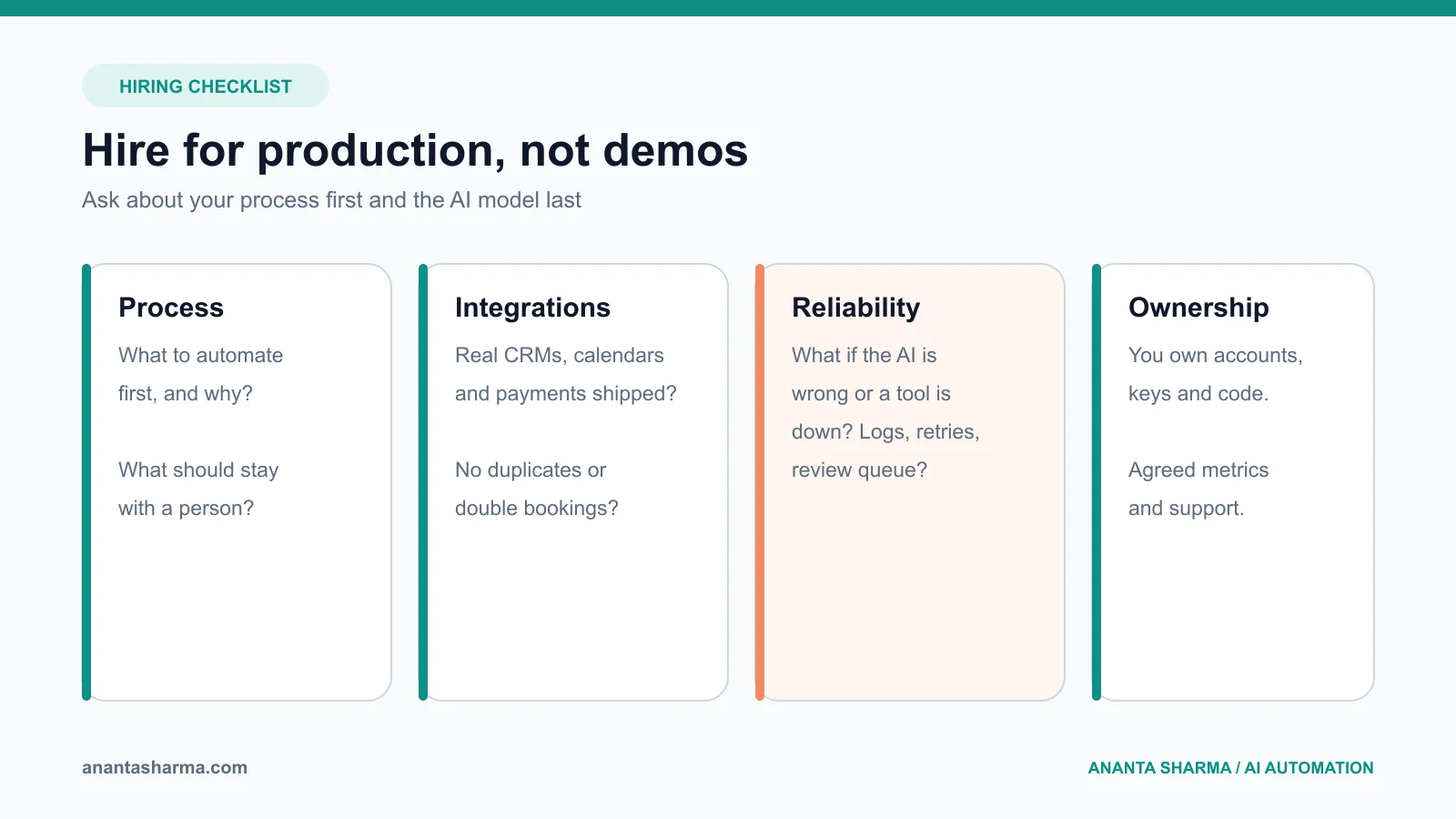
To hire an AI automation developer, start with one specific workflow, ask candidates how they would handle failures and uncertain AI output, check that they have shipped integrations to real systems such as CRMs and calendars, and agree on measurable outcomes and post-launch support before work begins. The right person talks about your process first and the AI model last.
That order matters because most failed automation projects do not fail on the AI. They fail on a duplicate CRM record, a calendar that was double-booked, an API that changed, or a customer message that went out with the wrong price. This guide explains what an AI automation developer actually does, the 12 questions that separate reliable builders from demo builders, the red flags to watch for, and how to structure a first project so the risk stays small.
What does an AI automation developer do?
An AI automation developer connects the tools a business already uses, such as forms, email, a CRM, a calendar, payments, and spreadsheets, into a workflow that runs on its own, and adds AI only where it helps: classifying an enquiry, extracting fields from an email or document, summarising a call, or drafting a reply for a person to approve.
The job is closer to backend engineering than to prompt writing. A typical project involves:
- mapping the current process and deciding which steps should be automated, assisted, or left to a person;
- connecting systems through APIs, webhooks, or no-code tools such as Zapier, Make, or n8n;
- designing the AI step with structured output and validation, so the rest of the workflow can trust it;
- handling errors, retries, duplicates, and rate limits;
- logging every run so you can see what happened; and
- handing over documentation and supporting the workflow after launch.
If a candidate only talks about prompts and models, they are probably strong at demos. If they talk about your data, your exceptions, and what happens when something fails, they are probably strong at production.
Freelancer, agency, or no-code specialist?
The right type of hire depends on how complex the workflow is and how much you will depend on it.
| Option | Best for | Watch out for |
|---|---|---|
| No-code specialist | Simple workflows across popular SaaS tools | Workflows that become fragile as volume and exceptions grow |
| Freelance developer | One to three workflows, custom integrations, a fixed scope | Make sure support after launch is agreed in writing |
| Agency | Large programmes, many stakeholders, ongoing roadmap | Higher cost; check who actually does the work |
| In-house hire | Automation as a permanent, full-time need | Slow to hire; hard to judge skills without a technical lead |
For most small businesses, a freelance developer or a small specialist is the right first step: you get direct access to the person building the system, and the scope stays small enough to judge the result. If you are still deciding between tools, read n8n vs Zapier vs custom software first.
The 12 questions to ask before you hire
Ask these on a discovery call. You do not need technical knowledge to judge the answers: listen for specifics, trade-offs, and questions back to you.
1. "What would you automate first in our business, and why?"
A good developer asks about volume, time spent, and the cost of mistakes before answering. They usually suggest one narrow workflow close to revenue, such as lead intake or follow-up, not a company-wide AI transformation.
2. "Which parts would you not automate?"
This is the most revealing question. A reliable builder names the steps that should stay with a person: pricing exceptions, complaints, refunds, regulated advice, and anything where the AI is uncertain. Someone who says "AI can handle all of it" has not run automation in production.
3. "What happens when the AI gets it wrong?"
Look for concrete answers: validated structured output, confidence thresholds, a review queue, and a person who approves anything customer-facing until the workflow has proven itself.
4. "What happens when one of our tools is down or changes?"
Integrations fail. Good answers include retries, alerts, a dead-letter or exception list, and not losing data while a connected service is unavailable.
5. "How do you prevent duplicate records and double actions?"
Duplicate CRM contacts, double-booked appointments, and repeated emails are the most common automation bugs. Ask how they match existing records and make actions safe to retry. The CRM data entry guide shows what good duplicate handling looks like.
6. "How will we see what the automation did?"
You should be able to answer "what happened to this lead?" without asking the developer. Expect logs, a simple dashboard or sheet, or a weekly summary.
7. "Can you show me something similar you have built?"
Ask for a walkthrough of a real system, not a slide. Integrations with CRMs, calendars, payments, and messaging are more relevant than a chatbot demo. If client work is confidential, a detailed explanation of the architecture is still a good sign.
8. "Which tools would you use, and what will they cost us each month?"
You should get a clear list: subscriptions, AI model usage, hosting, and any per-task pricing. Our AI automation cost guide explains how to sanity-check those numbers.
9. "Who owns the accounts, code, and workflows?"
The business should own its accounts, API keys, data, and the finished workflows or code. Avoid setups that only work inside the developer's personal account.
10. "How do you handle our customer data?"
Expect them to mention least-privilege access, keeping secrets out of prompts and code, sending only the data the AI step needs, and respecting your industry's rules.
11. "How will we measure success?"
Agree on two or three numbers before the build: response time to new leads, hours saved per week, missed enquiries, booking rate, or error rate. If nobody can say what success looks like, the project is not ready.
12. "What does support look like after launch?"
Ask how fixes are handled, how quickly they respond, and what it costs. A workflow your business depends on needs an owner after launch.
Red flags when hiring an AI automation developer
Walk away, or at least slow down, if you hear these:
- Guaranteed results, such as "this will double your leads", before they understand your process.
- "Fully autonomous" by default. Most first workflows should be predictable steps with a bounded AI decision and human approval. See when small businesses actually need AI agents.
- No questions about exceptions or failures.
- Everything built in their own accounts, with no handover plan.
- A large upfront platform build before a single workflow has proven value.
- Vague pricing with no breakdown of build effort, running costs, and support.
How to structure the first project
Keep the first engagement small enough that you can judge it quickly and cheaply.
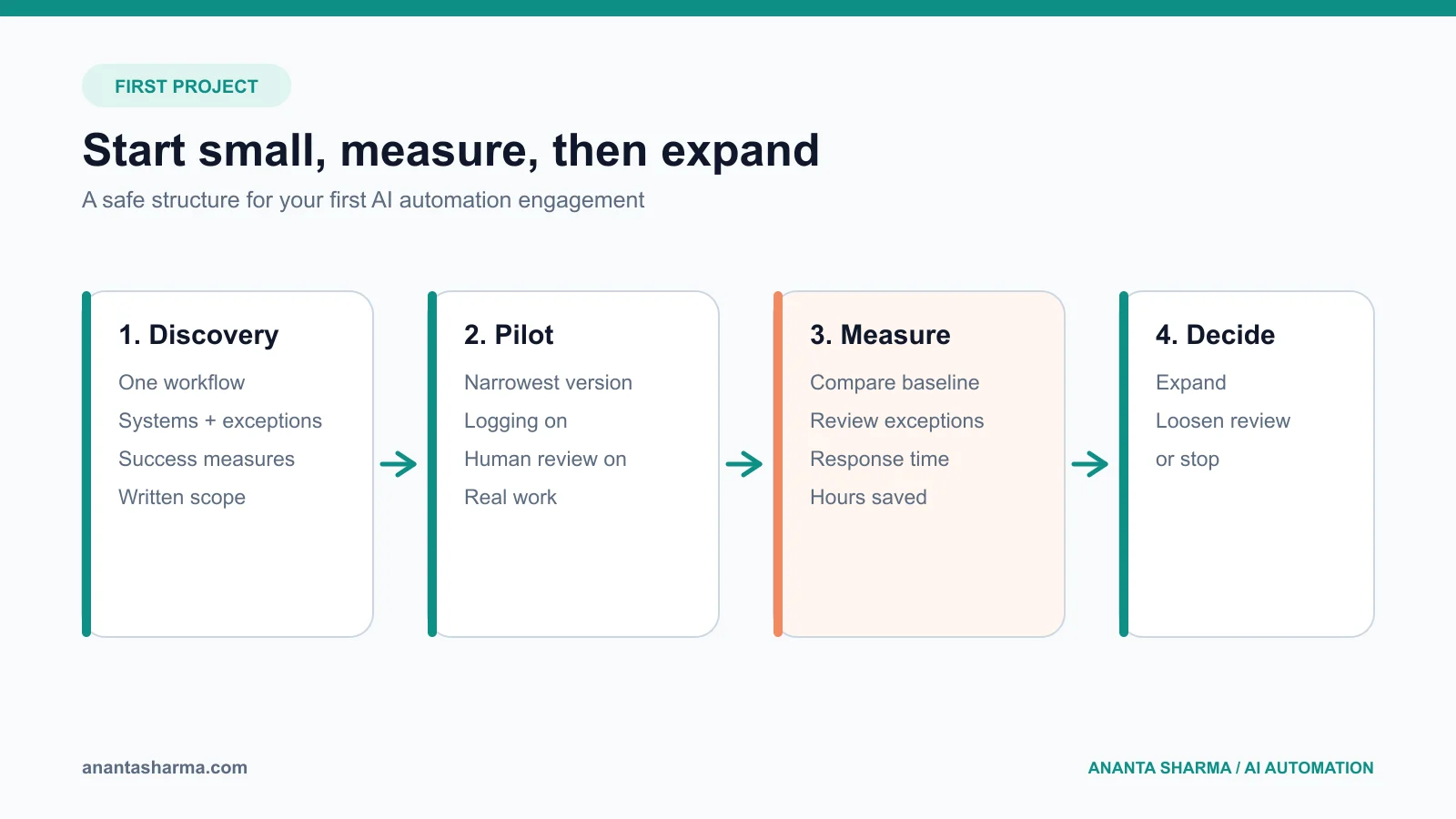
- Discovery (a few hours to a few days). Map one workflow, the systems involved, the exceptions, and the success measures. You should leave with a written scope even if you do not continue.
- Pilot (one to four weeks). Build the narrowest version that delivers value, with logging and human review switched on. Run it on real work.
- Measure (two to four weeks). Compare the agreed numbers with the baseline. Review every exception the workflow sent to a person.
- Expand or stop. Add the next workflow, loosen review where the data supports it, or stop if the value is not there.
This structure protects both sides: you see real results before committing a larger budget, and the developer learns your process before designing anything big. If you are unsure which workflow to pilot, the AI workflow automation guide has a scoring checklist, and the AI automation for small business guide lists 25 candidate workflows.
What to prepare before the first call
You will get a better recommendation, and a more accurate estimate, if you bring:
- a one-paragraph description of the workflow and who does it today;
- roughly how often it happens and how long it takes;
- the tools involved, such as your website form, inbox, CRM, calendar, or accounting software;
- two or three real examples, including a messy one; and
- what a good outcome would look like in three months.
Frequently asked questions
Do I need to understand AI to hire an AI automation developer?
No. You need to understand your process and what success looks like. A good developer will explain the trade-offs in business terms and recommend the simplest approach that works, which is sometimes no AI at all.
Should I hire someone in my country?
Not necessarily. Many automation projects are delivered remotely. What matters more is overlapping working hours for calls, clear written communication, and a track record with the tools you use. Agree on response times for support before you start.
How long does a first AI automation project take?
A narrow first workflow often takes days to a few weeks to build, plus a few weeks of measured use. Larger systems, such as an AI receptionist connected to a CRM and calendar, take longer because the reliability work grows with every connected system.
Is it better to hire on Upwork or Fiverr, or directly?
Marketplaces add payment protection and reviews, which helps when you have never worked together. Hiring directly can be simpler for ongoing work. Either way, ask the 12 questions above.
Work with me
I am Ananta Sharma, a backend and AI automation developer. I build lead intake, CRM, booking, and follow-up workflows, plus the backend systems behind them, with logging and human review included from the start. I work remotely with businesses in Australia, Europe, North America, and Asia. Read more about me, see the AI automation services for service businesses, or book a free 20-minute call and bring one workflow. I will tell you honestly whether it is worth automating and what a sensible first step looks like.