
n8n vs Zapier vs Custom Software: The Production Decision Framework for Businesses
The best automation tool for a business depends on the workflow, not on which platform is most popular. Zapier is often the fastest route for a simple, managed connection. n8n is a strong fit when a technical team needs branching logic, custom API calls, self-hosting, or execution-based economics. Custom software becomes the better choice when the workflow is a core product capability, has complex state, or needs guarantees that a visual automation cannot maintain.
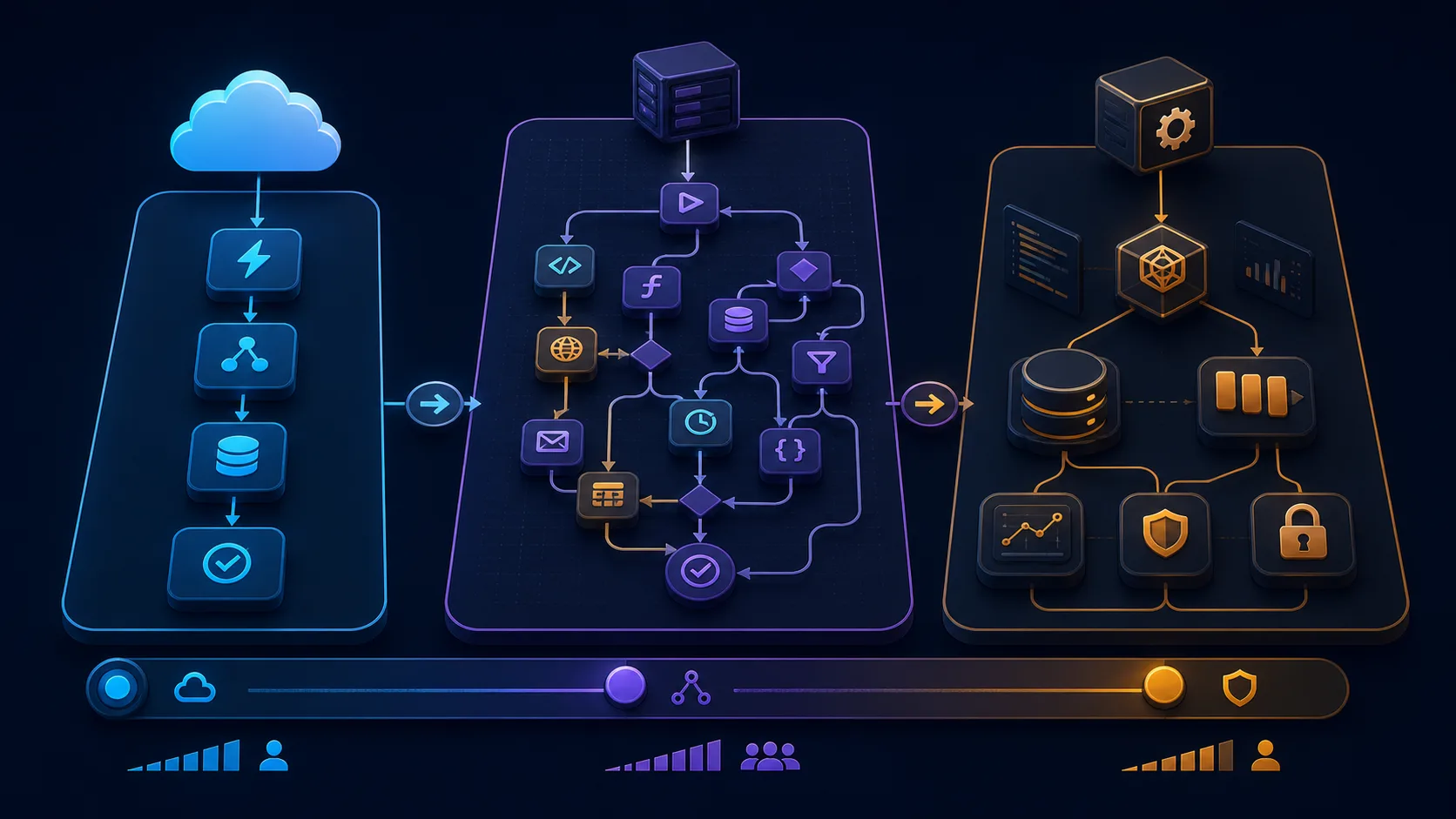
The real decision is not n8n vs Zapier. It is whether the process should be a simple integration, a governed workflow, or a software system your business owns.

The 30-second decision
Choose a managed tool when the process is short, low-risk, and easy to explain. Choose n8n when the process has multiple branches, needs direct API control, or should run on infrastructure you control. Choose custom software when the process has durable state, complex permissions, a large volume of exceptions, or is part of the product you sell.
There is also a sensible hybrid: use n8n for triggers, notifications, and orchestration, and put core business rules in a small, tested backend service. This can preserve speed without turning a visual canvas into an untestable application.
What is the difference between n8n and Zapier?
Both platforms connect business applications and can trigger actions from events. Their practical difference is the amount of control and operational ownership they expect from you.
Zapier is designed for fast setup and a large catalog of managed integrations. It is convenient when a non-technical team owns a straightforward process and the business prefers the platform to handle much of the infrastructure.
n8n is designed for more flexible workflows. It can combine visual steps with custom code, HTTP requests, branching logic, self-hosting, queue-based execution, and data flows that do not fit a single pre-built connector. The official n8n comparison also frames the choice around complexity, customization, scalability, and hosting.
Neither choice removes operational responsibility. With a managed platform, you still own the business logic, credentials, data quality, and what happens when a workflow fails. With self-hosting, you also own updates, backups, uptime, access control, and infrastructure security.
Compare the workflow, not the feature list
Before comparing platforms, write down the process as a sequence of states:
- What event starts the process?
- Which data is required and where is it stored?
- Which rules determine the next step?
- Which actions have side effects?
- What needs approval?
- What happens when an API fails or data is incomplete?
- How will a person replay, correct, or cancel a run?
If those questions have simple answers, a visual automation may be enough. If they reveal a state machine with many possible outcomes, the workflow needs stronger application boundaries.
When Zapier is the right choice
Zapier is a sensible first choice when:
- a form should create a CRM lead and notify a channel;
- a calendar event should send a standard reminder;
- a small team wants to own setup without server operations;
- the number of steps and exceptions is low; and
- the business wants a managed cloud service with minimal deployment work.
The best Zapier workflow has an obvious owner, stable inputs, and a recovery path. It is not “set and forget” merely because it is no-code. Document the trigger, credentials, filters, destination fields, and alerting before calling it production.
When n8n is the better fit
n8n becomes attractive when a process needs:
- several branches, loops, or reusable sub-workflows;
- custom API requests or data transformations;
- an on-premises or self-hosted deployment;
- control over execution data and credentials;
- integrations that are not available as polished managed connectors;
- a queue or worker model for longer-running jobs; or
- one workflow execution to contain many internal steps.
Self-hosting is not free operations. Plan for backups, upgrades, secrets, access control, logs, worker capacity, alerting, and a recovery drill. The workflow is only as reliable as the environment that runs it.
When custom software wins
Use custom software when automation is becoming a product or a critical internal system. Warning signs include:
- the process needs durable state across days or weeks;
- different users have different permissions;
- the business needs audit-ready history for every decision;
- a failure can create financial, legal, or customer harm;
- the workflow needs high-volume concurrency and predictable latency;
- the process needs a domain-specific user interface; or
- the same logic is being copied across many visual workflows.
Custom software does not mean rebuilding every connector. A NestJS or Node.js service can expose a small, tested domain API while n8n or Zapier handles low-risk orchestration around it. This separation keeps business rules versioned in code and visible to engineering review.
Reliability is the deciding factor
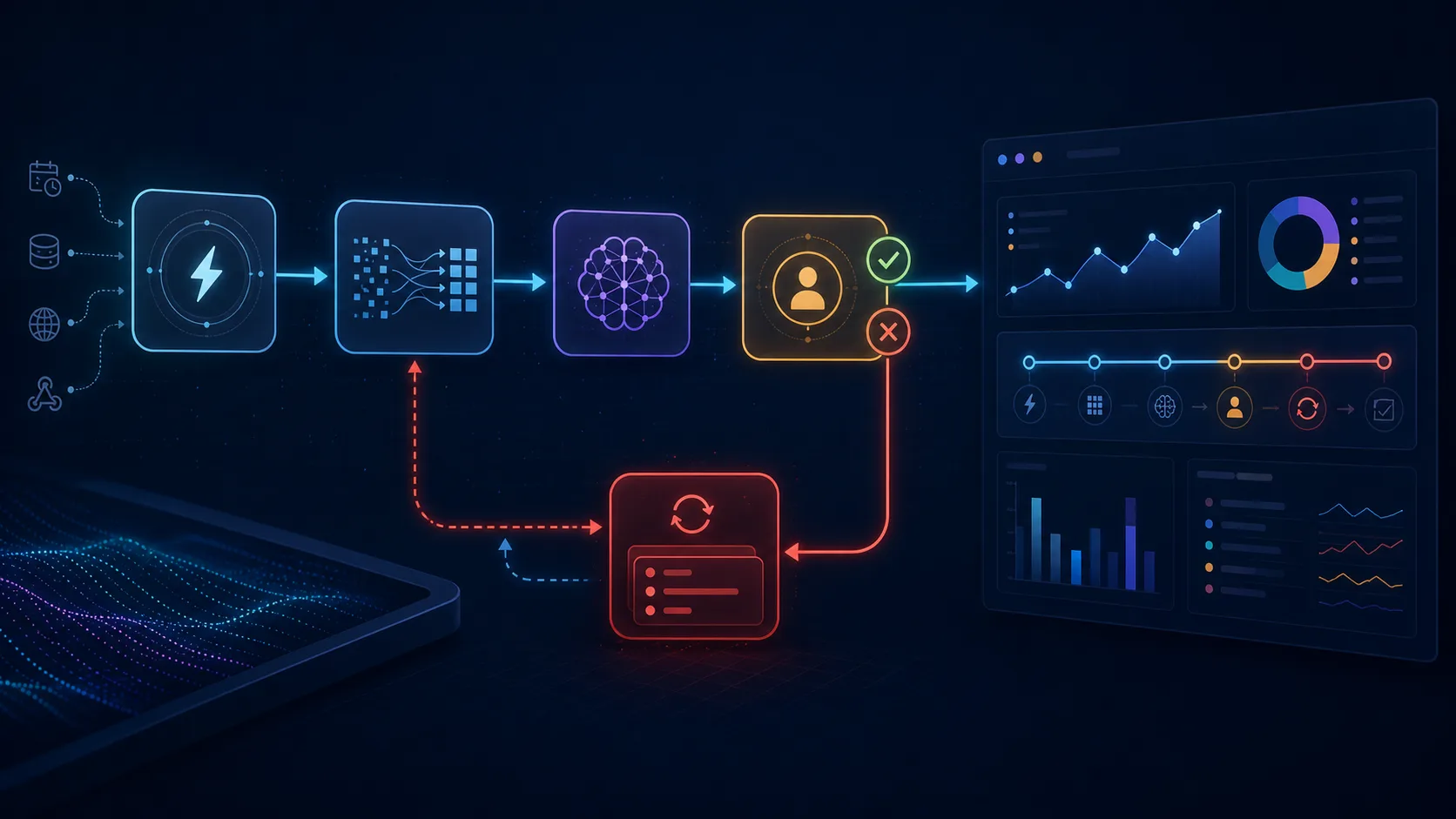
A demo is successful when the happy path works once. A production workflow is successful when it remains understandable and recoverable after a timeout, duplicate webhook, expired token, malformed payload, partial write, or human correction.
Minimum safeguards include:
- schema validation at every external boundary;
- idempotency keys for create or charge operations;
- bounded retries with exponential backoff;
- a dead-letter or review path for jobs that keep failing;
- structured logs with a run or correlation ID;
- alerts for failed executions and unusual latency;
- least-privilege credentials; and
- a documented manual fallback.
This is where the platform choice becomes an engineering decision. If the tool cannot express the control you need, place that control in a backend service or choose a different architecture.
The total cost of automation
The subscription price is only one line in the cost model. Estimate:
- platform usage and task or execution charges;
- hosting, backups, and monitoring;
- implementation and testing time;
- maintenance when a provider changes an API;
- incident response when a run fails;
- support and manual review; and
- the cost of incorrect or duplicated actions.
For a rough comparison, calculate the cost per successful business outcome rather than the cost per step. A workflow that is cheap to run but loses a qualified lead is not cheaper. A custom service that costs more to build may be cheaper to operate when it removes manual reconciliation and prevents expensive errors.
A practical decision scorecard
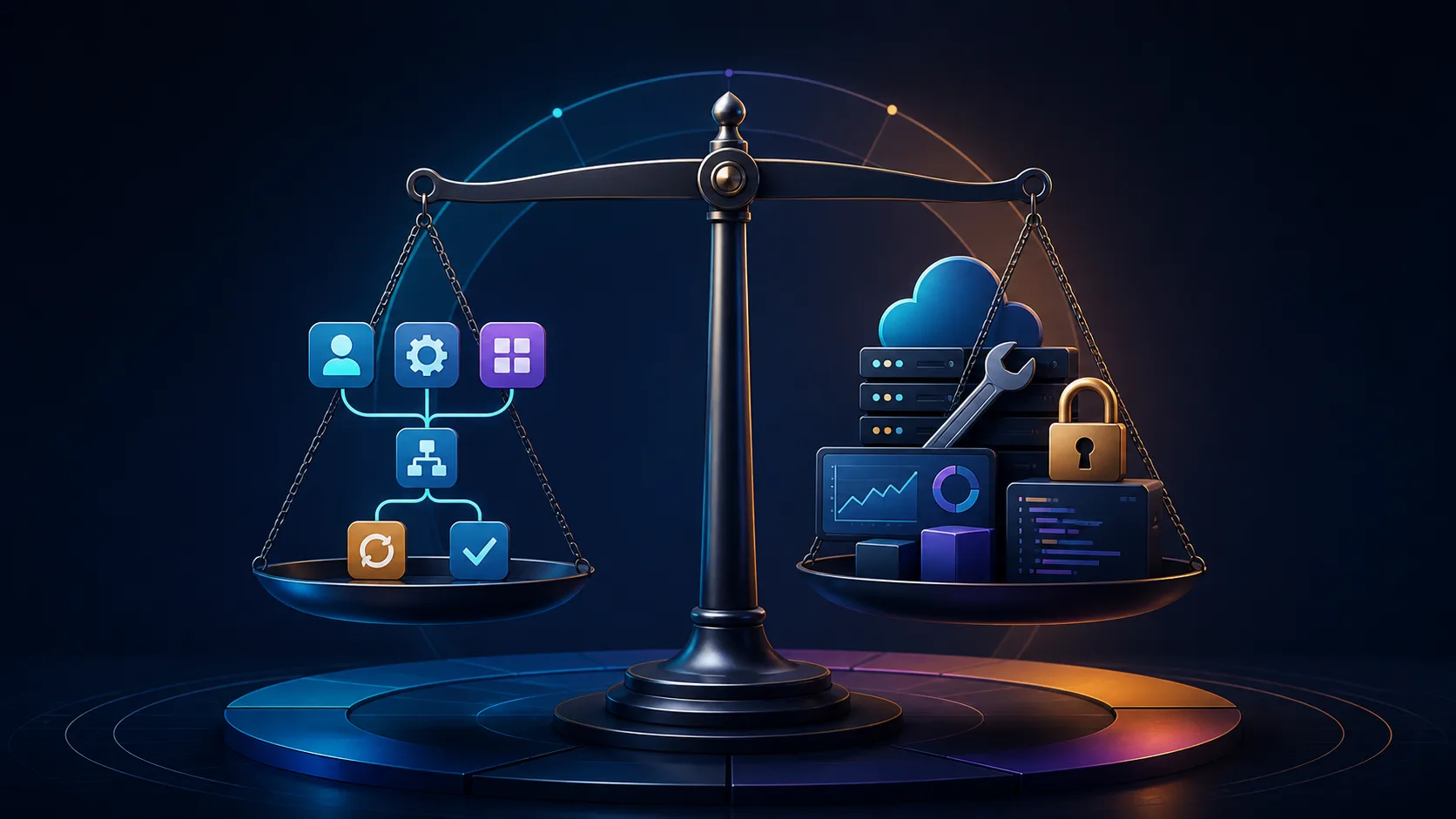
Score the process from one to five for each dimension:
- Process simplicity: how linear is the happy path?
- Exception rate: how often does the process leave the normal path?
- Risk: what is the cost of a wrong action?
- Volume: how many runs and records are expected?
- Data sensitivity: does the workflow handle private or regulated data?
- Change rate: how often do business rules change?
- Technical ownership: who will monitor and fix it?
- Product importance: is this process part of what the business sells?
Low simplicity, high risk, high volume, high sensitivity, or high product importance are signals to use a backend boundary. Low-risk and stable processes are better candidates for a managed tool. High change rate may favor a visual workflow, but only if the team can still test and review it.
The hybrid pattern
A good hybrid architecture might look like this:
- A form, webhook, or CRM event triggers n8n.
- n8n normalizes the payload and calls a versioned backend endpoint.
- The backend validates the request, applies business rules, and persists state.
- The backend returns an explicit decision and action list.
- n8n sends notifications, updates low-risk systems, or waits for approval.
- A monitoring path records the final outcome and alerts on failure.
This is especially useful for lead qualification, document intake, customer-service routing, and AI-assisted operations. Keep the model and the automation tool away from irreversible actions unless the backend has verified the request and the policy allows it.
A migration plan that does not create a second problem
If an existing workflow is unreliable, do not rewrite everything at once.
- Export and back up the current workflow and credentials safely.
- Record inputs, outputs, side effects, and known failure cases.
- Add an execution ID and baseline metrics.
- Move one high-risk rule into a tested service or approval step.
- Run the new path in parallel or with a small percentage of traffic.
- Compare outcomes, duplicates, latency, and manual corrections.
- Document ownership and rollback before switching fully.
The objective is not to win an argument for n8n, Zapier, or custom code. The objective is an automation the business can explain, monitor, and recover.
Frequently asked questions
Is n8n better than Zapier for small businesses?
It depends on the process and the team's willingness to manage complexity. Zapier is often faster for simple managed connections. n8n is a better fit when the workflow needs custom logic, self-hosting, or technical control.
Is self-hosted n8n free?
The software and infrastructure are only part of the cost. Hosting, backups, security, upgrades, monitoring, and incident response still require time or a technical owner.
When should a business stop using a visual workflow?
When the workflow becomes a critical system with complex state, many duplicated branches, strict permissions, high failure cost, or a need for a domain-specific interface. That is usually the point to introduce a backend service or redesign the process.
Can n8n and custom software work together?
Yes. A common pattern is to use n8n for triggers and orchestration while a tested API owns the business rules, persistence, permissions, and high-impact actions.
What should I bring to an automation assessment?
Bring one real workflow, examples of normal and failed cases, the tools involved, approximate run volume, and the outcome the business cares about. A process map is more useful than a list of platforms.
Make the decision from the process
Start with the risk, exceptions, ownership, and desired business outcome. Then choose the smallest architecture that can meet those requirements reliably. If you want an independent recommendation on n8n, Zapier, or a custom backend, send me one workflow through a free automation consultation and I will map the decision and implementation path.