
AI Agents for Small Business in 2026: What to Automate First and What to Keep Human
Small businesses are moving from asking an AI tool for a one-off answer to giving software responsibility for a repeatable business process. That shift is creating a lot of confusion: should a company buy a chatbot, connect a few tools with automation, or build an AI agent?
The practical answer is usually smaller than the marketing suggests. Start with one expensive bottleneck, keep the business rules explicit, and use AI only where language or messy information makes normal automation difficult. This guide explains how to choose the right approach, what AI agents for small business can actually do in 2026, what they cost, and where a person should remain in control.

Why AI agents are becoming a business decision in 2026
The market is moving toward workflow-level AI. Google Cloud’s 2026 AI Agent Trends report describes agents as systems that can reason across tasks and use tools, while OpenAI’s small-business analysis highlights how smaller companies are beginning to treat AI as a practical first addition to their team.
That does not mean every company needs an autonomous employee. It means business owners now have a realistic way to improve lead response, customer support, document handling, internal reporting, and scheduling without replacing the systems they already use.
The opportunity is strongest where three conditions overlap:
- the work happens frequently;
- the current process loses time, leads, or information; and
- a safe human handoff can be defined.
For example, an AI lead-follow-up workflow can read an enquiry, identify the service requested, add structured data to a CRM, draft a relevant response, and ask an owner to approve it. The workflow creates speed without allowing an AI model to invent pricing or make an irreversible commitment.
Automation, AI workflow, or AI agent?
These terms are related, but they are not interchangeable.
Use normal automation for predictable steps
Normal automation is best when the rule is stable and the input is structured. “When a confirmed appointment is created, send a reminder 24 hours before it” does not need an AI model. Deterministic code is faster, easier to test, and less expensive.
Use an AI workflow when the input is messy
An AI workflow uses a model for a narrow task inside a controlled process. It might classify a free-text enquiry, extract fields from a PDF, summarize a call, or draft a reply from approved information. The surrounding application still controls permissions, routing, retries, and the final write to a business system.
Use an AI agent when the route genuinely changes
An AI agent is useful when the next step depends on the situation and the system has several approved tools it can choose between. A support agent might look up an order, check a policy, ask a clarifying question, or escalate to a person. The important qualification is that the tools and permissions remain narrow.
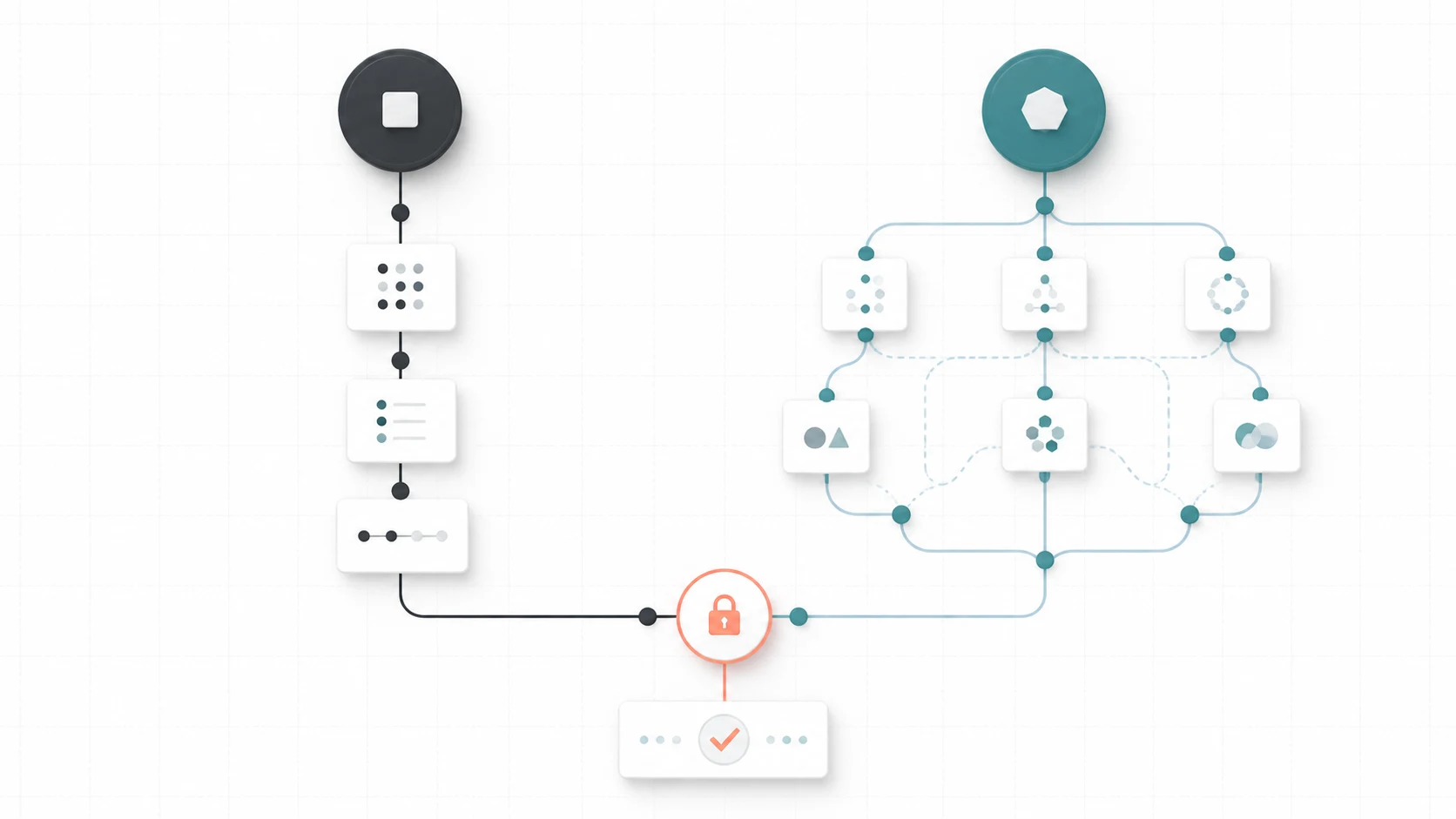
The best architecture for most small businesses is hybrid:
- deterministic code owns state, permissions, and required fields;
- AI handles language, classification, extraction, or drafting;
- validation checks the model output;
- a person approves consequential actions; and
- logs make each result easy to inspect.
The best AI agent use cases for small business
1. Lead intake and follow-up
An AI customer service agent can turn a website enquiry, email, or call transcript into structured lead data. It can identify the service, location, urgency, and missing details, then create a CRM task and prepare a helpful first reply.
The valuable business outcome is not “a clever chatbot.” It is a shorter response time, fewer lost enquiries, and a clearer next step for the owner. Keep pricing, discounts, guarantees, and sensitive claims behind approval rules.
2. Appointment and quote coordination
For home services, consultants, clinics, studios, and agencies, the enquiry process often spans a form, a phone call, a calendar, and a spreadsheet. A controlled AI workflow can collect missing details, route the request, propose available times, and create a booking after the customer and business rules are satisfied.
If a quote needs photos or measurements, the system can request them before a person spends time reviewing the job. The owner still decides whether the work is suitable and what it should cost.
3. Customer support triage
An AI agent can categorize incoming requests, search approved help content, summarize the customer’s history, and route urgent issues to the right person. It should answer stable, low-risk questions and hand off uncertainty instead of making up a policy.
Useful safeguards include confidence thresholds, source links in the internal summary, a “talk to a person” path, and a record of why the request was escalated.
4. Document and invoice extraction
Many small companies receive invoices, receipts, applications, and forms in inconsistent formats. AI can extract likely fields and flag missing or unusual information. A human or accounting system should validate totals and approve the final posting.
This is a strong first project because the output can be measured: extraction accuracy, review time, exception rate, and the number of duplicate records.
5. Internal reports and meeting preparation
An AI workflow can combine approved CRM, project, support, and calendar data into a weekly summary. It can identify overdue tasks, unanswered leads, recurring support themes, or accounts that need attention.
The report should link back to source records. A summary is useful for prioritization, but it should not become an unverified source of truth.
6. Agency and startup delivery support
Agencies can use narrow agents to turn client requests into tickets, summarize project calls, prepare technical discovery notes, and identify integration requirements. Startups can use them for internal tools, API documentation, QA triage, and operational workflows.
For engineering teams, the opportunity is not to let an agent change production freely. It is to expose carefully scoped tools, test the output, and preserve review for migrations, permissions, customer data, and deployments.
What should stay human?
Keep a human in the loop when an error could create a financial, legal, safety, privacy, or reputation problem. Common examples include:
- final pricing, discounts, refunds, and contract commitments;
- medical, legal, financial, or regulated advice;
- deleting records or changing account permissions;
- publishing claims that have not been checked;
- sending sensitive or high-volume outbound messages; and
- decisions about people that could materially affect access or eligibility.
Human review should not be a vague instruction to “check the AI.” Give the reviewer the source information, the proposed action, the reason for the recommendation, and a clear approve, edit, reject, or escalate choice.

How much does an AI agent cost for a small business?
The cost of AI agent implementation depends on the workflow, not just the model. Budget for five areas:
- process discovery and workflow design;
- integrations with forms, CRM, calendar, email, storage, or accounting;
- model usage, hosting, and third-party software;
- testing, permissions, monitoring, and staff training; and
- maintenance when APIs, policies, or business information change.
A sensible first pilot is often a narrow $1,000–$3,000 engineering sprint. The pilot should deliver one measurable outcome such as faster lead response, fewer manual data-entry hours, more complete enquiries, or shorter support triage time. It should not promise that an AI agent will run an entire department without supervision.
Use this simple model before approving a project:
monthly value = time saved + recovered opportunities + avoided rework − software and maintenance cost
Measure quality alongside savings. A workflow that saves two hours but sends an incorrect customer message is not a successful automation.
A safe technical architecture for AI agent implementation
A production-ready AI workflow should have a clear boundary around the model. A reliable pattern is:
- Trigger: receive a form submission, email, event, or document.
- Normalize: validate identity, required fields, file type, and size.
- Retrieve: provide only the approved context the model needs.
- Reason narrowly: ask for a structured result such as a category, summary, or proposed action.
- Validate: check schema, confidence, permissions, and business rules.
- Act through tools: expose only the allowed CRM, calendar, messaging, or storage operations.
- Approve or escalate: require a person when the risk or uncertainty is high.
- Record: save the input reference, output, action, error, and handoff reason.
Use idempotent writes so retries do not create duplicate leads or appointments. Use timeouts and provider fallbacks so a model outage does not block the entire business. Minimize sensitive data sent to a model, rotate credentials, and make it possible to turn off the AI step while retaining the underlying workflow.
A practical 30-day rollout plan
Days 1–5: map one bottleneck
Interview the person who owns the outcome. Capture the trigger, systems, decisions, exceptions, and definition of done. Record a baseline: volume, response time, handling time, errors, and missed opportunities.
Days 6–10: define the smallest useful version
Choose one outcome. Write the allowed inputs, data fields, tools, permissions, approval rules, and failure behavior. Decide which steps need normal automation and which genuinely benefit from AI.
Days 11–18: build the pilot
Connect only the systems required for the first outcome. Use structured model output, retries, logs, and a review queue. Test with representative examples rather than only perfect demo data.
Days 19–24: test exceptions
Test incomplete forms, duplicate contacts, conflicting records, provider timeouts, ambiguous requests, prompt-injection attempts, and customers asking for a human. A good system fails safely and preserves context.
Days 25–30: launch with a small audience
Start with one team or a limited share of traffic. Review human overrides, failure logs, latency, cost, and business results daily. Expand only when the workflow is improving the baseline without creating new operational risk.
How to choose an AI automation consultant
Ask a consultant to show exactly what will be automated, what will remain human, which systems will be changed, how permissions are limited, how failures are retried, and how success will be measured. A strong proposal names the first workflow and the evidence needed to expand it.
Be cautious of promises of guaranteed autonomy, guaranteed search rankings, or instant ROI. Google’s guidance on generative AI content emphasizes useful, original, people-first content; the same principle applies to business automation. AI should make a real process clearer and more useful, not add a layer of impressive-sounding complexity.
If you have one repetitive process that is costing time or losing enquiries, book an AI automation consultation. Bring the current form, inbox, spreadsheet, or workflow. The first decision is whether you need rules, integrations, AI assistance, an agent, or custom software.
Frequently asked questions
Is an AI agent worth it for a small business?
It can be, when a frequent process has measurable delays or missed opportunities and the agent can operate within narrow permissions. Start with one pilot instead of automating the whole business.
What is the best first AI automation for a small business?
Lead intake, appointment coordination, support triage, document extraction, and internal reporting are strong candidates because they happen repeatedly and can include clear human review boundaries.
Should I choose an AI agent or normal automation?
Use normal automation for predictable rules. Add AI for classification, extraction, summarization, or drafting. Use an agent only when the route changes between cases and its tools, permissions, and escalation path can be controlled.
Can an AI agent connect to my existing CRM?
Often, yes. The exact approach depends on the CRM’s API, webhooks, permissions, and data model. A safe implementation validates records, prevents duplicates, and keeps an audit trail for important changes.
Can an AI agent send messages to customers automatically?
It can draft or send limited messages when the business has an appropriate consent and communication process. High-value, sensitive, ambiguous, or unsolicited outbound messages should remain behind approval and compliance checks.