
Claude Code vs OpenAI Codex: Which AI Coding Agent Fits Your Project?
Claude Code and OpenAI Codex can both read a repository, change code, run development tasks, and help a team ship software. The useful question is not “which AI is always better?” It is “which agent fits this job, this codebase, and this level of risk?”
This guide compares Claude Code and Codex by scenario. It is written for developers, technical founders, and business owners who need a reliable result—not just a clever code snippet. Product features and pricing change quickly, so treat the official Claude Code documentation and OpenAI Codex guidance as the source of truth and recheck this guide before making a buying decision.
The short answer
Claude Code is a strong fit when you want a coding agent to work closely with a local codebase, terminal, IDE, project instructions, and custom tools. Its documentation highlights work across the terminal, IDE, desktop, and web, as well as MCP connections, skills, hooks, CI/CD workflows, and parallel agents.
Codex is a strong fit when the priority is software development work that moves from an engineering request to implementation, testing, review, and delivery. OpenAI describes Codex as a coding agent for writing, reviewing, and shipping code, and its current developer guidance positions coding-optimized models for agentic software workflows.
There is no responsible universal winner. A practical team may use Claude Code for exploration and architecture, Codex for implementation and verification, or the reverse when the team’s existing tools make one workflow easier. The quality of the repository instructions, tests, permissions, and review process usually matters more than the product name.
Claude Code vs Codex at a glance
| Decision area | Claude Code | Codex |
|---|---|---|
| Best starting point | Exploring and changing a local project with strong context | Turning a defined engineering task into tested, reviewable changes |
| Main working style | Terminal, IDE, desktop, and web workflows around a codebase | Coding-agent workflow focused on building, reviewing, and shipping |
| Custom integrations | MCP, skills, hooks, and connected tools are central to the documented workflow | Tools, skills, repository instructions, and development integrations support the workflow |
| Strong scenario | A complicated repository with local tools and project-specific conventions | A production task with clear acceptance criteria and verification steps |
| Important caution | Local access makes permission boundaries and tool configuration important | Agent autonomy still needs tests, review, and explicit deployment boundaries |
| Best business question | Can this connect to our existing systems and reduce manual work? | Can this deliver a reliable software change with evidence that it works? |
This table is a workflow recommendation, not a benchmark claim. Actual results vary with the repository, prompt, model version, tool permissions, and test quality.
Scenario 1: You inherited a large or unfamiliar codebase
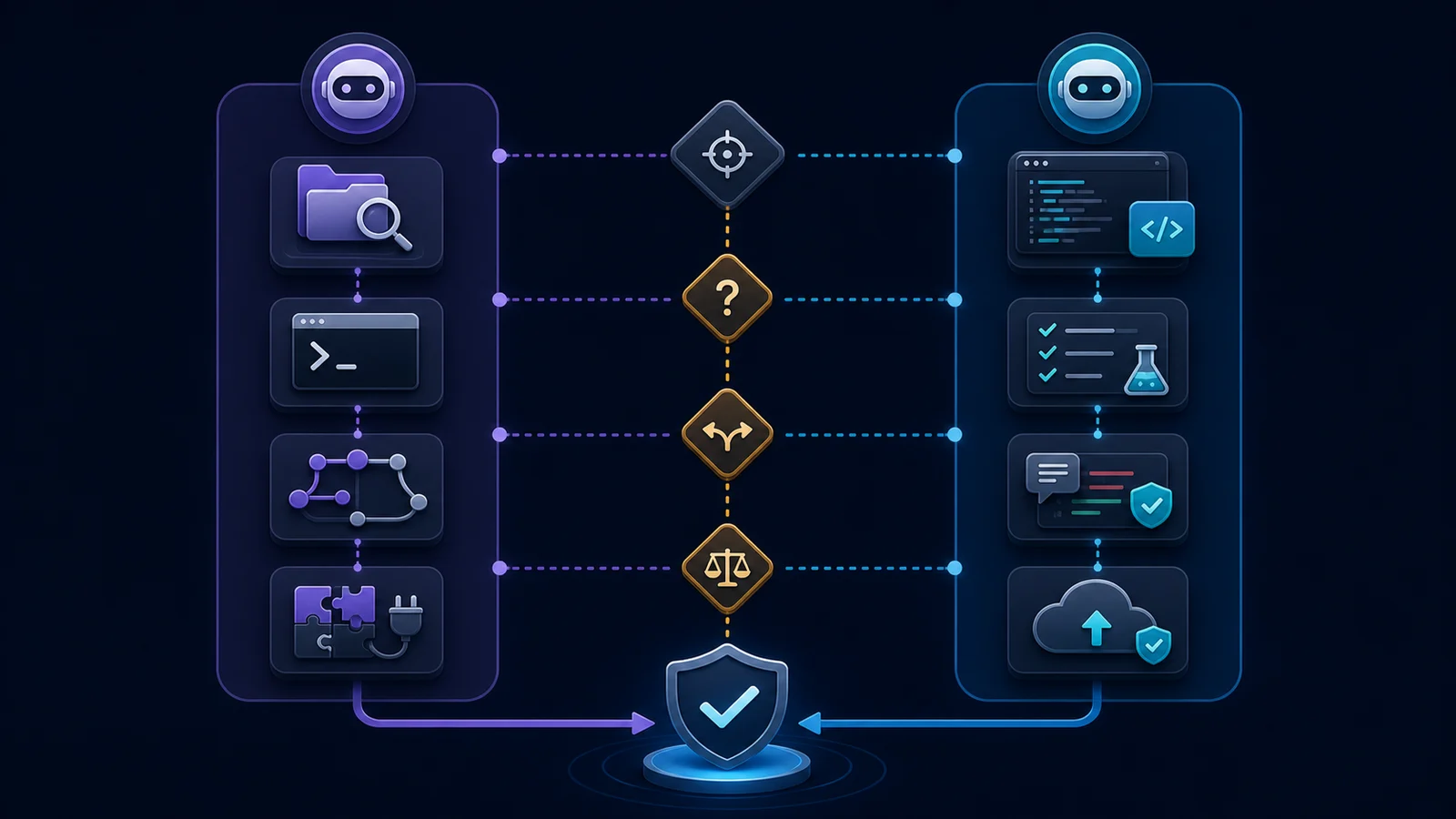
Choose the agent that can build a useful map of the repository before editing it. Ask it to identify the application entry points, authentication boundaries, data models, background jobs, tests, deployment configuration, and known risk areas. Then ask for a short plan with file references and verification steps.
Claude Code is a natural fit when your work depends on local terminal context, project instructions, and connected tools. Its official documentation describes codebase-wide understanding, multi-file changes, persistent CLAUDE.md instructions, skills, hooks, and MCP connections.
Codex is also a good fit when you provide a clear repository brief and ask for an evidence-based map before implementation. The important practice is the same: require the agent to cite the files it inspected, separate facts from assumptions, and wait for a plan before a broad refactor.
Recommendation: use whichever agent can inspect the repository with the least friction, then keep the map as a checked-in engineering document. Do not judge the tool from a one-file autocomplete task when the real problem is system understanding.Scenario 2: You need a NestJS backend feature
For a NestJS feature, the agent should not stop after creating a controller. A production change may require a module boundary, DTO validation, authorization, service logic, persistence, error handling, tests, logging, migration safety, and API documentation.
Give both agents the same acceptance criteria:
- Add the endpoint and request validation.
- Preserve the existing module and dependency boundaries.
- Add unit and integration tests.
- Handle duplicate requests and invalid input.
- Run the project’s type checks, lint checks, and test suite.
- Explain what was not tested and why.
Codex is a sensible choice when you want the task to stay focused on implementation and verification. Claude Code is a sensible choice when the change requires careful exploration of conventions spread across many files or custom development tools.
The deciding factor is not the first code sample. It is whether the agent leaves behind a small, reviewable diff and evidence from the actual repository commands.
For more backend context, see the guides on production MCP servers with NestJS and scalable backend API architecture.
Scenario 3: You need MCP or custom tool connections
MCP is useful when an agent needs controlled access to external systems such as documentation, ticketing, design files, databases, or internal APIs. It is not a reason to give an agent unlimited access to production.
Claude Code’s documentation makes MCP a visible part of its extension model. That can be a strong fit for a developer who already has local MCP servers, project-specific commands, or a tool-heavy workflow.
Codex can also work well in an integrated engineering environment when the tools are defined clearly and the task includes explicit permissions and verification. The same production rules apply to either agent:
- expose narrow tools instead of a general-purpose super-tool;
- validate arguments at runtime;
- use read-only access by default;
- separate preview from commit, send, delete, or deploy actions;
- log tool calls and failures;
- require human approval for high-impact actions.
If the business goal is to connect an AI assistant to a CRM, calendar, help desk, or internal database, the real project is the permissioned integration layer—not simply selecting a model.
Scenario 4: You are fixing a production bug
Production debugging rewards discipline. Give the agent the error, recent logs, the affected route or job, the expected behavior, and a safe reproduction. Ask it to investigate first, propose a smallest-risk fix, add a regression test, and avoid changing unrelated files.
Claude Code may be a good choice when the bug requires following a complicated local request path and consulting project-specific tools. Codex may be a good choice when the bug is well-scoped and you want an execution loop that implements the fix, runs checks, and summarizes the evidence.
For either tool, never accept “it should work” as verification. Require:
- the failing test or reproduction before the fix;
- the regression test after the fix;
- typecheck, lint, and relevant integration checks;
- a list of remaining uncertainty;
- a rollback or release note when the change affects production.
Scenario 5: A small business wants AI automation
Business owners usually do not need an argument about coding agents. They need to know whether an enquiry can be captured, qualified, routed, booked, answered, or escalated without creating new risk.
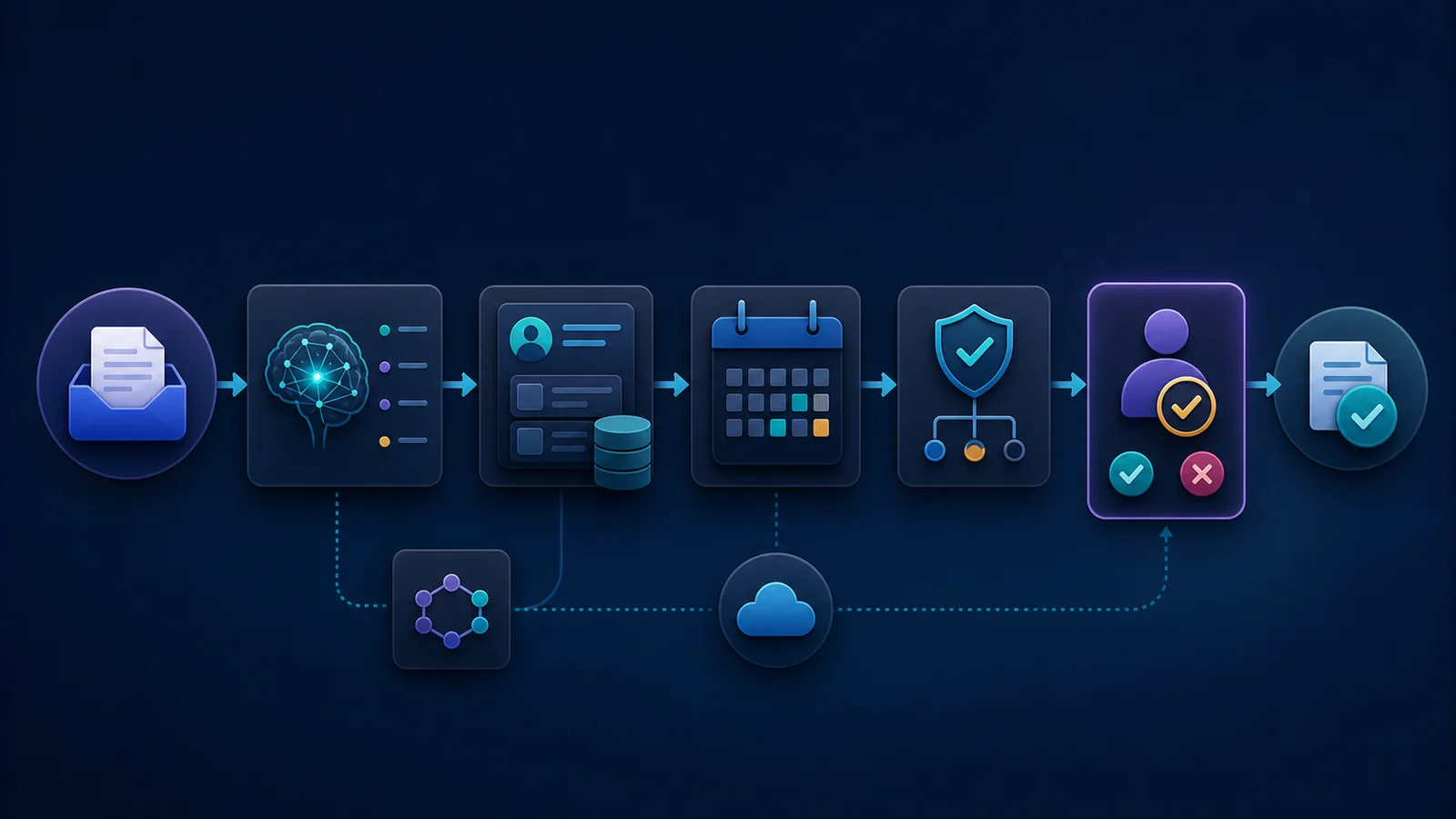
For a small-business automation project, compare the agents by the workflow they can help you deliver:
- A website form or email creates an enquiry.
- AI extracts the service type, urgency, and missing details.
- Deterministic rules validate the lead and select the route.
- The CRM and calendar receive approved updates.
- A person reviews expensive, sensitive, or ambiguous cases.
- The system records what happened and why.
Claude Code can be useful when the project requires connecting several local tools and understanding an existing integration codebase. Codex can be useful when you need to build and test a backend workflow around clearly defined business rules. In both cases, the business should buy an outcome—fewer missed leads, faster follow-up, cleaner records—not “an AI agent” as a vague product.
This is where a consultant adds value: selecting the smallest safe pilot, defining the approval boundary, connecting the existing systems, and measuring whether the workflow actually saves time or recovers revenue. See the AI automation guide for small businesses before choosing a tool.
A practical hybrid workflow
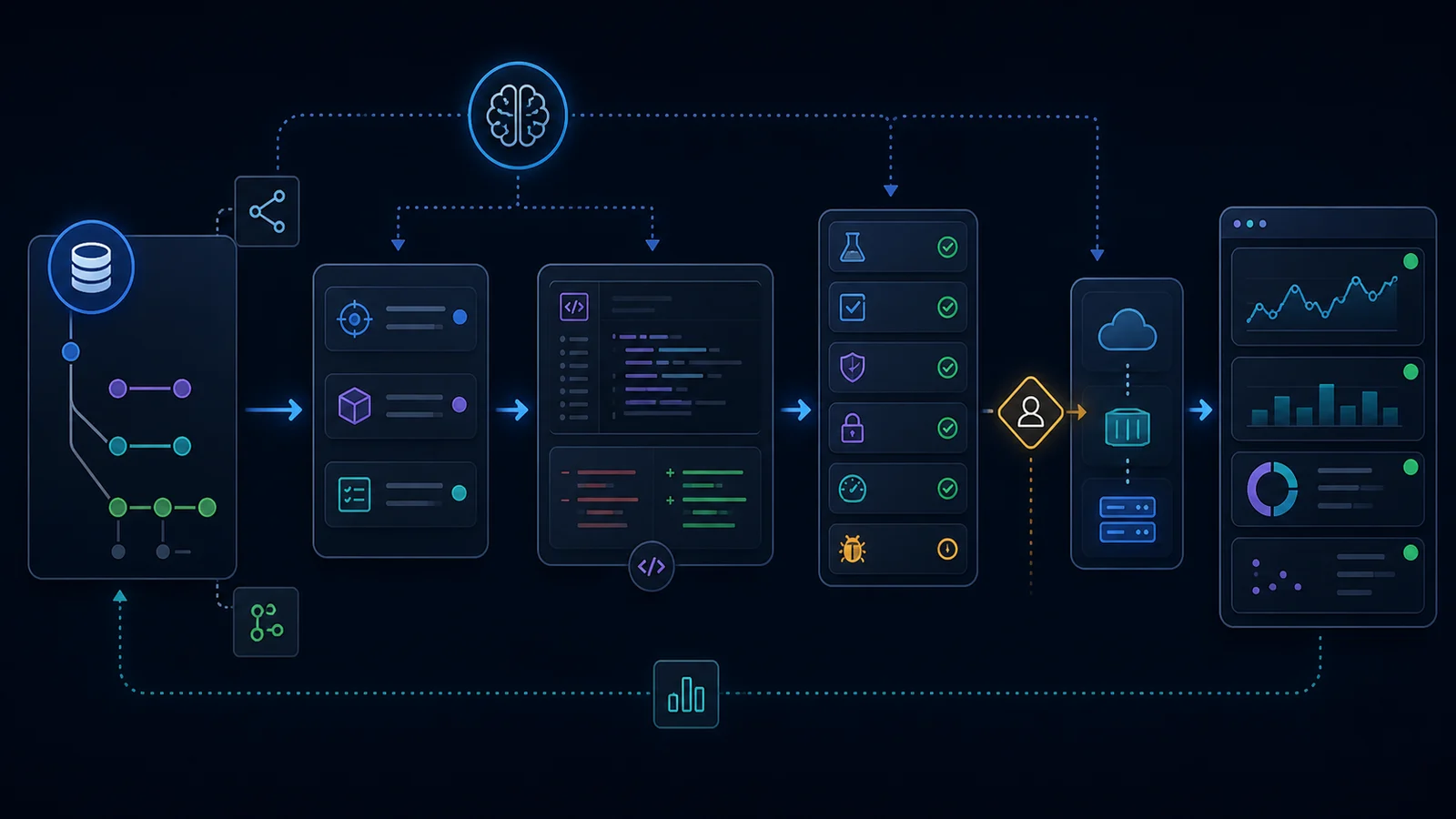
Many teams do not need to choose only one agent. A reasonable division of work is:
- Use one agent to explore the repository and write an implementation plan.
- Ask the implementing agent to turn that plan into a small diff.
- Run the project’s real tests and inspect the changed files.
- Ask the second agent to review the diff for correctness, security, edge cases, and missing tests.
- Let a human decide whether the result is ready to merge or deploy.
The hybrid approach is valuable only when the second pass is genuinely independent. Asking two agents to repeat the same optimistic assumption is not a review process. Give the reviewer the acceptance criteria, the diff, the test output, and the known constraints.
How to compare them fairly
If you want a meaningful internal test, use the same repository, task, context, time budget, model tier, acceptance criteria, and tool permissions. Score the result on:
- functional correctness;
- tests added and tests passed;
- security and authorization boundaries;
- clarity of the diff;
- number of manual corrections;
- time to a reviewable result;
- cost for the complete task;
- quality of the explanation and remaining-risk list.
Do not rely on a single benchmark score or a viral video. Coding-agent results are sensitive to the harness and the task specification. A tool that wins a greenfield demo may be the wrong choice for a regulated production system or a legacy codebase.
Final verdict
Choose Claude Code when your main challenge is deeply understanding and extending a codebase through local context, terminal workflows, MCP, project instructions, and connected tools.
Choose Codex when your main challenge is converting a defined software task into tested, reviewable, production-oriented changes.
Choose both when the project benefits from independent planning, implementation, and review—but keep a human responsible for permissions, quality, and deployment.
If your company needs an AI workflow, system integration, backend API, or custom application rather than another tool comparison, book an AI automation consultation. We can start with one measurable process and decide what should be automated, what should stay deterministic, and where a person must remain in control.
Frequently asked questions
Is Claude Code better than Codex?
Neither is universally better. Claude Code is often a strong fit for local codebase exploration, MCP-connected workflows, and project-specific tool use. Codex is often a strong fit for focused software development, testing, review, and delivery workflows. The right choice depends on the repository and acceptance criteria.
Can Claude Code and Codex be used together?
Yes. One can create a repository map or plan, another can implement or review it, and the team can compare the resulting evidence. Keep permissions separate and require tests plus human review before merge or deployment.
Which is better for backend development?
Both can help with backend development. For NestJS or Node.js, judge them on validation, authorization, data integrity, error handling, tests, observability, and the size of the final diff—not on how quickly a controller is generated.
Which is better for business automation?
The best tool is the one that helps deliver a safe, measurable workflow around the business’s existing systems. The architecture should combine deterministic rules, narrow AI tasks, permissioned integrations, auditability, and human handoff.
Will an AI coding agent replace a software engineer?
It can reduce repetitive implementation work, but it does not remove the need for system design, requirements, security decisions, testing, code review, deployment judgment, and accountability. The engineer’s role shifts toward specifying, verifying, and operating reliable systems.